How to Protect Yourself from WhatsApp and SMS Scams in Saudi Arabia and the Gulf
The most common WhatsApp and SMS scams in the Gulf, from fake parcel fees to bank, Absher and Nafath impersonation, and how to spot, block and report them.
Published 7 min read
In this article
Most WhatsApp and SMS scams in the Gulf want one of three things from you: to tap a link, to pay a small fee, or to share a verification code. If an unexpected message pushes you to do any of these, even when it looks like it comes from a bank, a government service or a courier, don't act on it. Check through the official app or website yourself, then report it.
In short: never share a verification code, never approve a Nafath request you didn't start, and never pay a "parcel fee" through a link in a text. Turn on WhatsApp two-step verification and report scam messages through your country's official channels.
Why these scams are so common in the Gulf
Saudi Arabia, the UAE and their neighbours have advanced, widely used digital services. Most people use banking apps, government portals and online shopping every day. That's convenient, but it also hands scammers believable stories: a parcel stuck in customs, a frozen bank account, a fine to pay.
Scammers rarely hack the systems themselves. They try to talk you into opening the door for them. Knowing the patterns is your best defence.
The scams you're most likely to see
Fake parcel and delivery fees
A text says your parcel is on hold because of a missing address or a small customs charge, with a link to pay. The page looks like a well-known postal or courier company, but it's built to capture your card details and the one-time code your bank sends. The small amount is deliberate, so you don't think twice.
Bank and government impersonation
Messages or calls claiming to be from your bank, Absher, the police or another official body: "your account is suspended", "update your details", "you have an unpaid fine". The caller asks for your verification code, card details, or for you to install an app. Banks warn customers again and again not to share passwords or codes, and a real employee never needs yours.
"Congratulations, you've won"
A prize from a competition you never entered, or a gift from a telecom company or a big retailer. To claim it, you have to pay a "delivery fee" or enter your bank details. If you didn't enter, you didn't win.
Fake job offers
A stranger offers part-time work with high pay for easy tasks like liking videos or rating products. After a few small payouts, you're asked to deposit money to unlock "bigger tasks". We cover this pattern in detail in our guide to spotting online money scams.
WhatsApp account takeover
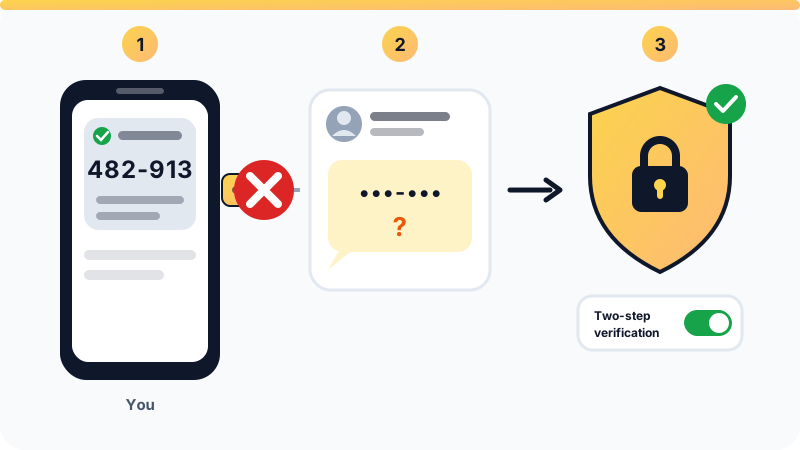
You receive a WhatsApp registration code you didn't request, followed by a message from a "friend" or "support team": "I sent you a code by mistake, please send it back." That code is the key to your account. Send it and your account moves to the scammer's phone, and they start messaging your contacts in your name asking for money or for their codes.
Nafath approval scams
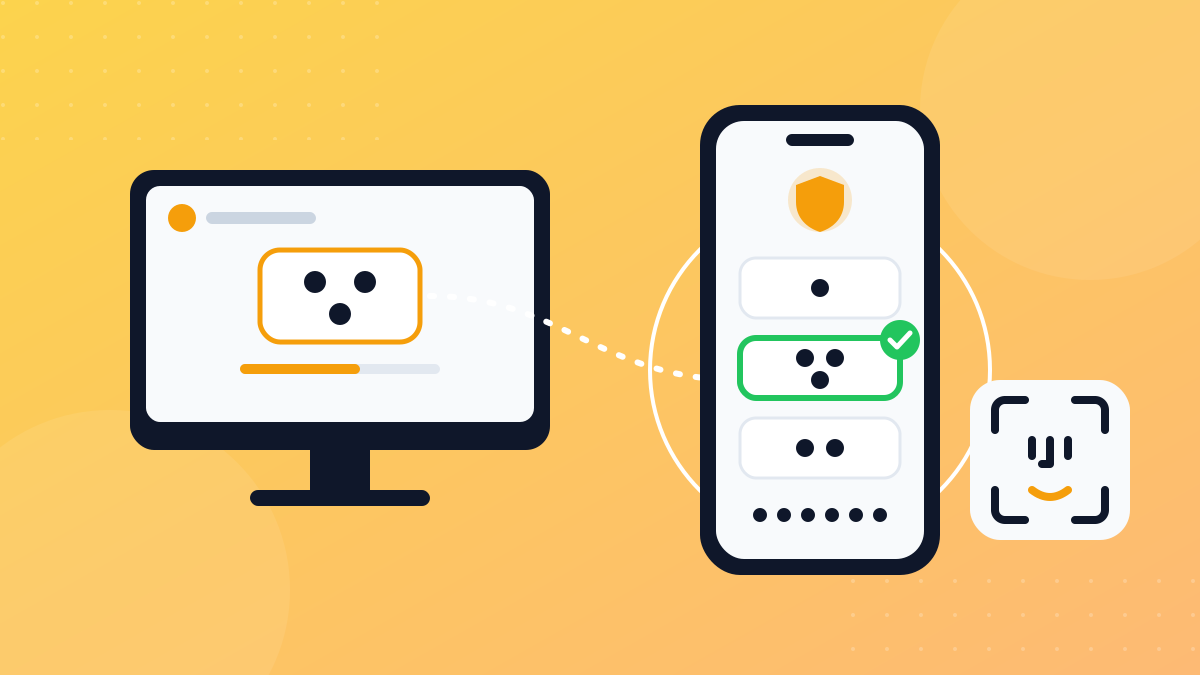
A caller claims to be from a government agency or a telecom company and asks you to "confirm your identity" by picking a number in the Nafath app. In reality, they're logging in to a service with your identity, and your approval lets them in. The rule is simple: never approve a Nafath request you didn't start yourself. Our Nafath guide explains how it works.
Quick signs a message is a scam
- Urgency: "within 24 hours", "your account will be closed today".
- Odd links: an address that doesn't match the official site, extra letters or numbers, or a shortened link.
- Requests for a code or password: no legitimate organisation needs the code sent to your phone.
- Personal or international numbers: a "bank" message from an ordinary mobile or foreign number.
- A small, strange fee: a minor delivery or activation charge that seems harmless.
- Poor language or formatting: useful, but some scam messages are now well written, so don't rely on this alone.
WhatsApp settings to turn on today
- Two-step verification: in your WhatsApp account settings. You set a secret PIN or password (depending on your app version) that's required when your number is registered on a new phone, so the SMS code alone isn't enough to steal your account. Add your email so you can reset it if you forget.
- Silence unknown callers: in the privacy and calls settings. Calls from numbers you haven't saved won't ring, but they still show in your call list.
- Who can add me to groups: set it to your contacts, so strangers can't drop you into fake investment or job groups.
- Privacy checkup: a feature in the privacy settings that walks you through the key options in one place, such as who sees your photo and last seen.
- App lock and chat lock: use your fingerprint or phone passcode to lock the app or sensitive chats.
- Linked devices: check the list of devices linked to your account now and then, and log out of any you don't recognise.
To protect your other accounts too, read our guide to two-factor authentication (2FA).
What to do if you fell for one
If you entered card details or paid
- Call your bank immediately using the official number or app, and ask them to block the card and dispute the payment. Speed matters.
- Change your banking app password if you typed it into the fake page.
- Save evidence: screenshots of the message, the sender's number, the link and any transaction IDs.
If you shared your WhatsApp code or lost your account
- Register your number in WhatsApp again on your phone and enter the code you receive. This logs the scammer out.
- If you're asked for a two-step verification PIN you never set, the scammer turned it on. You may need to wait before you can register again.
- Warn friends and family through another channel that your account was hijacked, and that they shouldn't send money or codes to any message from it.
- Turn on two-step verification as soon as you're back in.
If you approved a suspicious Nafath request
Review the services you've recently logged in to, contact the organisation the approval was for, and report it to the authorities quickly. Be wary of any follow-up call offering to "cancel the transaction" in exchange for another code.
How to report scams through official channels
In Saudi Arabia:
- 330330: the Communications, Space and Technology Commission offers a free service for mobile subscribers: forward the scam text to this number.
- Kollona Amn app: the Public Security reporting app, which covers fraud, hacked social media accounts and impersonation, among other reports.
- Your bank: straight away, through its official number or app, if money or a card is involved.
In the UAE:
- eCrime platform: from the Ministry of Interior, through the MoI UAE app, plus Dubai Police's eCrime website.
- Aman service: from Abu Dhabi Police.
- In an emergency, call 999.
Elsewhere in the Gulf: contact your bank and your country's official cybercrime authorities. Find them through the official government portal, not through links in messages.
Inside WhatsApp, you can also report and block the number directly from the chat.
Real message or scam? A quick comparison
| Scam message | Usually genuine | |
|---|---|---|
| What it asks for | A code, card details, or payment via a link | Just a notice; it tells you to open the official app yourself |
| Sender | Ordinary mobile or international number | The organisation's known sender name |
| Tone | Threats and urgency | Calm, clear information |
| Link | Strange or shortened address | No link, or the well-known official site |
Official sources: CST: SMS fraud awareness, WhatsApp Help Center: account security tips, UAE Government portal: cyber safety.
Frequently asked questions
I got a WhatsApp verification code I didn't ask for. What does it mean?
Most likely someone is trying to register your number on another device. Don't share the code with anyone for any reason, ignore any message asking for it, and turn on two-step verification in your account settings if it isn't on already.
Do banks or government agencies send links to update my details by text?
Treat any link asking you to update details or enter your card as suspicious. Banks repeatedly warn customers never to share passwords or one-time codes. If in doubt, open your bank's app or the official website yourself, or call the number printed on your card.
How do I report a scam text message in Saudi Arabia?
The Communications, Space and Technology Commission runs a free service: forward the scam text to 330330. If you lost money, call your bank straight away and file a report through the Kollona Amn app.
My WhatsApp account was hijacked. Can I get it back?
In most cases, yes. Register your number in WhatsApp again and enter the code you receive by SMS, which signs the other device out. If the scammer turned on two-step verification, you may have to wait a while before you can register. Warn your contacts not to respond to messages from your account in the meantime.
Related tutorials
Tools & productivity
What Is Nafath and How to Use It Safely: Saudi Arabia's National Single Sign-On
A simple guide to Nafath, Saudi Arabia's National Single Sign-On: how the app works, how number matching approves a login, and how to avoid Nafath scams.
· 7 min read
Tools & productivity
Digital Payments in Saudi Arabia: mada, Apple Pay, STC Bank and Instant Transfers
A practical guide to paying digitally in Saudi Arabia: mada cards, Apple Pay and mada Pay, STC Bank, sarie instant transfers and key security habits.
· 6 min read
Tools & productivity
How to Back Up Your Files Properly (The 3-2-1 Rule)
A practical backup guide: the 3-2-1 rule explained, backup vs sync, and how to set up File History, Time Machine and cloud storage step by step.
· 6 min read