ChatGPT for Beginners: Everything You Need to Know to Get Started
A plain guide to ChatGPT: what it is, how to sign up and start your first chat, free vs paid plans, and how to use it safely and get better answers.
Published 6 min read

In this article
ChatGPT is an AI assistant made by OpenAI. You type a question or request in everyday language and it replies with written text: an explanation, an email, a summary, or a piece of code. You can start using it for free at chatgpt.com or in the official mobile app within a couple of minutes.
In short: go to chatgpt.com, create an account, describe what you want clearly with the important details, and always check the answer, because ChatGPT can be wrong. Never share sensitive data with it.
What ChatGPT is and how it works
ChatGPT runs on what are called large language models (LLMs). These models were trained on a huge amount of text, so they learned the patterns of language and how words and ideas relate to each other.
When you ask something, it doesn't look up a stored answer. It generates the reply word by word, based on what it learned and on the context of your conversation. That explains three things:
- It can write new text that never existed before.
- It understands requests written in normal language. You don't need special commands.
- It sometimes states wrong information with full confidence. This is often called "hallucination".
How to sign up and start your first chat
- Open the official site, chatgpt.com, or install the official ChatGPT app from your app store.
- Choose to sign up, then use your email address or a Google, Microsoft or Apple account.
- Confirm your email if asked, then enter your name and date of birth.
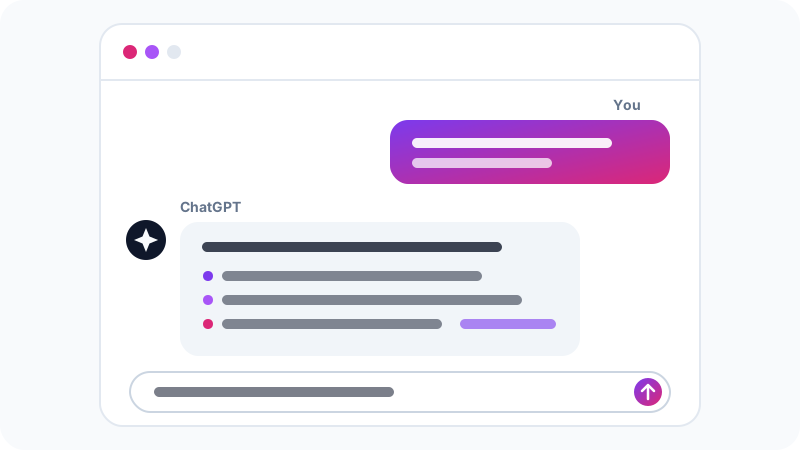
- The chat screen appears. Type your message in the box at the bottom and press Enter.
- Each new chat is saved in the sidebar, so you can come back to it later.
In some cases you can try ChatGPT without logging in, but an account lets you keep your chat history and unlocks more features.
The same account works everywhere: the website, the mobile apps and the official desktop apps. A chat you start on your computer shows up on your phone, and vice versa. On mobile, voice conversations are especially handy: you talk instead of typing, which is great for practising a new language or asking questions on the go.
What ChatGPT can do for you
Here are practical ways people use it every day:
- Writing: formal emails, social posts, article ideas, rewording a paragraph.
- Learning: explaining a hard concept in simple terms, or quizzing you to check your understanding.
- Translation and proofreading: translating between languages, fixing spelling and grammar.
- Summarising: uploading a file or pasting long text and asking for the key points. We cover this in detail in how to summarise PDF files with AI.
- Coding: writing small scripts, explaining an error message, suggesting a way to fix a bug.
- Planning: a study timetable, a trip plan, a task list for a project.
Recent versions also include extras such as web search, image and file uploads, image generation, and voice conversations. Which of these you get, and how much, depends on your plan.
Free vs paid plans
| Free | Paid | |
|---|---|---|
| Price | Nothing | Usually starts around $20/month for Plus; cheaper or more expensive plans may exist depending on your country |
| Messages | Limited; service steps down when you hit the limit | Much higher limits |
| Advanced models | Limited access | Wider access to the newest models |
| File uploads and image creation | Available with tight limits | Higher limits |
Prices and limits change over time, so check the official pricing page before subscribing. Our advice: use the free tier for a few weeks and only pay if you keep running into the limits.
How to get better answers
The quality of the answer depends heavily on the quality of your request. Compare these two:
Weak:   Write an email to my manager.

Better: Write a short, polite email to my manager asking for
        next Sunday and Monday off for a family matter. Mention
        that my colleague Ahmed will cover my tasks. Keep it
        under 80 words.
The second one sets the task, the context and the length, so the reply is almost ready to send. A few quick tips:
- Give context: who you are, who the text is for, and what the goal is.
- Name the format: a table, bullet points, one paragraph, a word limit.
- Steer instead of restarting: if you don't like the answer, ask for changes, such as "make it shorter" or "less formal".
For more depth, read our guide on how to write good prompts, with practical examples.
Limits and common mistakes
ChatGPT is powerful, but it is not an infallible source:
- It can make things up: references, numbers or names that don't exist. Check anything important against a trusted source.
- Its knowledge has a cut-off date: the model was trained on data up to a certain point. Web search helps with recent topics, but look at the sources it cites.
- Precise maths: it can slip on long calculations, so check the numbers yourself.
- Medical, legal and financial topics: use it to understand the subject in general terms and leave the final decision to a qualified professional.
Privacy and safety
- Don't share sensitive data: passwords, card numbers, official documents or confidential work material.
- Control your data: in settings, under data controls, you can stop your chats from being used to improve the models. There is also a temporary chat mode that isn't saved to your history.
- Protect your account: use a strong password and turn on two-factor authentication, especially on a paid account.
- Watch out for copycats: use the official website and the app whose developer is listed as OpenAI.
Ideas for your first chat
If you open ChatGPT and don't know where to start, copy one of these and adapt it:
Explain inflation to me as if I were 13, with an everyday example.

Give me a two-week study plan for a chemistry exam, two hours a day.

Fix the spelling and grammar in this text without changing my style: [paste text]

Suggest 5 quick dinner ideas using what I have: chicken, rice, tomatoes, onions.

Translate this message into formal, polite Arabic: [paste message]
Notice that each request states the task and the level or format you want. And don't stop at the first reply: ask for another example, ask about a point you didn't follow, or ask it to quiz you with two questions. That back-and-forth is what makes a chat more useful than a normal search, because it remembers what you said earlier in the same conversation and builds on it.
What next?
Once you're comfortable, use ChatGPT for one real task each day: a work email, an article summary, or an explanation of a lesson. Over time you'll learn where it genuinely helps and where you need to double-check.
If you want to see how ChatGPT stacks up against other assistants, read our comparison of ChatGPT vs Claude vs Gemini.
Frequently asked questions
Is ChatGPT free?
Yes. There is a free tier that is enough for most beginners, but it limits how many messages you can send and which features you get. Paid plans raise those limits, and prices can vary by country.
Can ChatGPT understand languages other than English?
Yes. It reads and writes many languages, including Arabic, French and Spanish. If you want the reply in a specific language, write in that language or ask for it directly.
Does ChatGPT remember my previous conversations?
Within one chat it remembers what you wrote. There is also a memory feature that can keep general facts about you across chats, and you can review, delete or turn it off in settings.
Is there a ChatGPT app for my phone?
Yes, OpenAI publishes official apps for iPhone and Android. Download it only from the official app store and check that the developer is OpenAI to avoid copycat apps.
Related tutorials
AI tools
How to Use AI to Write and Improve Your CV (Step by Step)
A practical way to use ChatGPT, Claude and Gemini to write your CV, tailor it to a job ad and pass ATS filters, with ready-to-use prompts and mistakes to avoid.
· 6 min read
AI tools
ChatGPT vs Claude vs Gemini: Which One Fits Your Work?
A practical comparison of ChatGPT, Claude and Gemini: what each does best, free and paid plans, and which one to pick for study, writing or coding.
· 6 min read
AI tools
Claude AI Guide: Features and How It Differs from ChatGPT
A practical guide to Claude by Anthropic: how to get started, key features like Projects, Artifacts and file analysis, and how it compares to ChatGPT.
· 6 min read