Best Free Translation Tools: Google Translate, DeepL, Microsoft Translator and AI
Compare Google Translate, DeepL, Microsoft Translator and AI chatbots, with tips for more accurate translations and for keeping private text safe.
By Taqnio TeamPublished Updated 7 min read
In this article
- How to choose a translation tool
- Google Translate: the most versatile
- DeepL: natural-sounding text
- Microsoft Translator: conversations
- AI chatbots: ChatGPT, Claude and Gemini
- Which translator fits which job
- Common mistakes and how to avoid them
- Privacy: be careful what you paste
- What to check before you choose
- Tips for better translations
- Sources
The best free translation tools are Google Translate for the widest language coverage and extra features like camera translation, DeepL for natural-sounding text in the languages it supports, Microsoft Translator for conversations, and AI chatbots like ChatGPT, Claude and Gemini when tone and context matter. All of them are free to start, but none is perfect, so important text always needs a human check.
In short: use Google Translate for everyday and on-the-go needs, try DeepL for longer texts, use an AI chatbot when you need a specific tone, and never paste confidential or personal data into a free translator.
How to choose a translation tool
Ask yourself four questions:
- Which languages? Not every tool supports every pair, and quality varies a lot between pairs.
- What kind of text? A menu, an email, a legal contract and a marketing slogan need different care.
- Where are you? At a desk with a document, or on the street with your phone?
- How sensitive is it? Personal and confidential text needs extra caution, as we explain below.
In practice, many people keep two tools: one on the phone for quick lookups and travel, and one on the computer for longer texts and documents.
Google Translate: the most versatile
Google Translate is free on the web at translate.google.com and as a mobile app. Google's own blog says it supports almost 250 languages (Google, 28 April 2026), far more than any other tool here.
What you can do with it:
- Text: type or paste text, with alternative translations for single words. Google's help page says you can paste up to 5,000 characters at a time on the computer version.
- Documents: upload a file on the website. The official help page lists .docx, .pdf, .pptx and .xlsx files up to 10 MB, with PDFs limited to 300 pages.
- Websites: translate whole web pages from the same help page.
- Camera: instant camera translation works for some languages; the offline help page says downloaded languages may also work with it, but this is not guaranteed.
- Offline: download language packs in the app. Languages that show no download option cannot be saved for offline use.
Its weak point is that longer or more nuanced texts can come out literal or slightly unnatural, especially for idioms.
DeepL: natural-sounding text
DeepL has a reputation for smooth, natural translations, particularly between European languages. It supports Arabic, including document translation that DeepL says keeps the formatting and right-to-left layout (DeepL blog), but its language list is shorter than Google's, so check that your pair is available.
On the DeepL plans page (checked 20 November 2026), the free version allows 50,000 characters of text translation per user per month and one file translation per month, up to 5 MB. Paid plans raise these limits, and DeepL states that content from its paid plans is never used to train its AI models.
The free service is different. DeepL's terms of use say the free service may not be used for content containing confidential or personal data of any kind, and that DeepL may keep what you submit for a limited time to train and improve its systems.
Microsoft Translator: conversations
Microsoft Translator is available as a mobile app for Android and iOS. The app offers downloadable offline translation packs and live translated captions for conversations. It also appears in Bing and as an Outlook add-in. Microsoft's technical documentation lists Arabic among well over 100 supported languages, with both text and document translation (language support list).
AI chatbots: ChatGPT, Claude and Gemini
General AI assistants are not dedicated translators, but they are very good at it, especially when you give instructions:
Translate this email into English. Keep it polite and professional,
suitable for a client. Keep the names and numbers exactly as they are.
If a phrase has no direct equivalent, choose the natural English
expression and tell me what you changed.
Their strengths are control over tone and audience, explaining their choices, and adapting text instead of translating word by word. Their weaknesses: they are slower for quick lookups, and in long texts they can occasionally skip a sentence, add something, or "improve" your meaning. Compare the source and the translation paragraph by paragraph. To pick an assistant, see ChatGPT vs Claude vs Gemini. If you are also using AI to learn the language itself, read how to learn a language with ChatGPT.
Which translator fits which job
Limits below were checked on the official pages on 20 November 2026 and can change.
| Tool | Best for | Free version and document limits | Offline | Watch out for |
|---|---|---|---|---|
| Google Translate | Most languages, travel, camera, websites | Free. Documents: .docx, .pdf, .pptx, .xlsx up to 10 MB, PDF up to 300 pages | Yes, in the app, for languages with a download option | Literal results in long texts; scanned PDF text is not translated |
| DeepL | Natural-sounding documents and emails | Free with limits: 50,000 characters of text and 1 file (5 MB) per month | Check the official app page | Shorter language list; free terms exclude confidential or personal data |
| Microsoft Translator | Conversations on the phone | Check the app for current price and limits | Yes, in the app | Fewer languages than Google |
| AI chatbots | Tone, context, explanations | Yes, with message limits | No | Can skip or change content |
Common mistakes and how to avoid them
- Uploading a scanned PDF and expecting a translation. Google's help page says text inside images and scanned PDF pages appears in the output document but is not translated. Use a text-based file, or copy the text out first.
- Trying to translate a big file in one go. Google's limits are 10 MB and 300 PDF pages, and DeepL's free plan allows one 5 MB file per month. Split the file, or use a paid or business option. Google points to its Cloud Translation API for larger or more numerous files.
- Looking for document translation on the phone. Google says document translation is not available on smaller screens or mobile. Use a computer.
- Assuming every language works offline. Google says languages with no download option cannot be saved.
- Treating the free DeepL plan as private. Its terms say not to use it for confidential or personal data, and that submitted content may be used for training.
Privacy: be careful what you paste
Anything you paste into an online translator is sent to that company's servers. Free services may store what you submit and, depending on their terms, use it to improve their products. Paid business plans often come with stronger guarantees, but read the privacy terms rather than assuming. Google's privacy policy is the place to check how it handles what you submit.
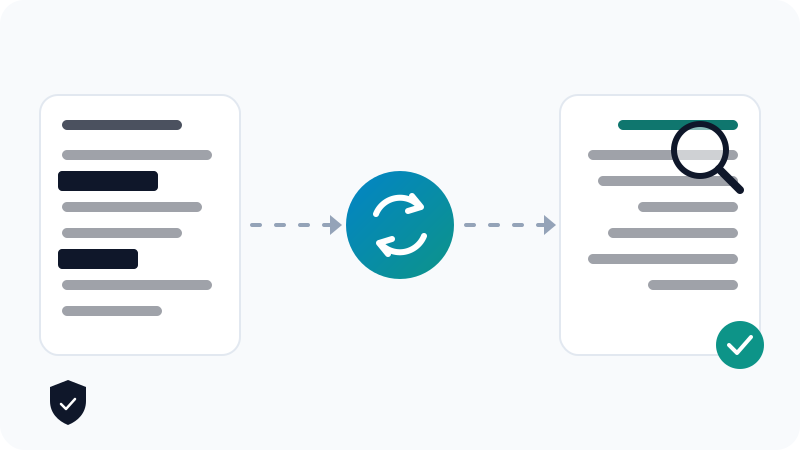
Before you translate:
- Remove or replace sensitive details: names, ID numbers, account numbers, addresses and phone numbers. Put them back after translating.
- Don't paste confidential work material unless your employer has approved the tool.
- Official documents: use the free tool only to understand them; for submissions, use a certified translator.
- Need to keep everything on your device? Some AI models can run fully offline on your own computer, as explained in how to run an AI model locally.
What to check before you choose
- Is your language pair listed on the tool's official language page?
- Does the file type, size and page count fit the current document limits?
- Does the privacy policy or terms allow the kind of text you have?
- Do you need offline use, and is a download offered for your language?
- Who will review the result? Legal, medical and financial text needs a person.
Tips for better translations
- Write short, clear sentences. Long sentences with many clauses confuse every tool.
- Avoid slang and idioms in the source when you can, or explain them.
- Back-translate: translate the result back into your language. If the meaning changed, rewrite the source.
- Compare two tools for anything important; differences show you where to look closely.
- Keep a small glossary of key terms and ask AI tools to use it consistently.
- Have a human review anything legal, medical, financial or public-facing.
Sources
Checked on 20 November 2026:
- Google Translate Help: translate documents and websites
- Google Translate Help: download languages for offline use
- Google blog: 20 years of Google Translate
- Google Privacy Policy
- DeepL plans and limits
- DeepL Terms of Use for the free service
- DeepL blog: Arabic and right-to-left document translation
- Microsoft Translator apps
- Microsoft Learn: Translator language support
Frequently asked questions
Which translation tool is the most accurate?
It depends on the language pair and the type of text. DeepL often produces very natural text for the languages it supports, Google Translate covers far more languages, and AI chatbots handle tone and context well. Test the same paragraph in two tools and compare.
Can I translate without an internet connection?
Yes, in the mobile apps. Google Translate and Microsoft Translator let you download language packs, although Google says languages without a download option cannot be saved for offline use. Offline translations are usually a bit less accurate than online ones, but they are very handy when travelling.
Can I use a free translator for official documents?
Use it to understand a document, not to produce an official version. Authorities and universities often require a certified or sworn translator, and official documents usually contain personal data. DeepL's terms for its free service say not to use it for confidential or personal data.
Can these tools translate a whole file?
Yes, within limits. As of 20 November 2026, Google Translate's website accepts .docx, .pdf, .pptx and .xlsx files up to 10 MB (PDFs up to 300 pages), and DeepL's free plan allows one file translation per month up to 5 MB. AI chatbots also accept uploaded files, but check that nothing was skipped or summarised.
Related tutorials
Language learning
How to Learn a Language with ChatGPT and Other AI: Practical Prompts
Use ChatGPT and other AI chatbots to practise conversation, get your mistakes corrected and build vocabulary, with ready-to-copy prompts and honest limits.
· 5 min read
Language learning
IELTS vs TOEFL vs Duolingo English Test: Which One Should You Take?
Compare IELTS, TOEFL and the Duolingo English Test: format, length, new scoring scales, validity, who accepts each one, and how to prepare for the test you choose.
· 10 min read
Language learning
Best Apps to Learn English: Free and Paid Options Compared
The best-known apps for learning English, including Duolingo, BBC Learning English, Anki and Busuu: what each does well, free vs paid, and how to combine them.
· 6 min read