How to Sell Digital Products Online: A Beginner's Guide
Learn how to create and sell digital products such as ebooks, templates, courses and design assets, choose a platform, set prices and handle payments and tax.
Published 6 min read
In this article
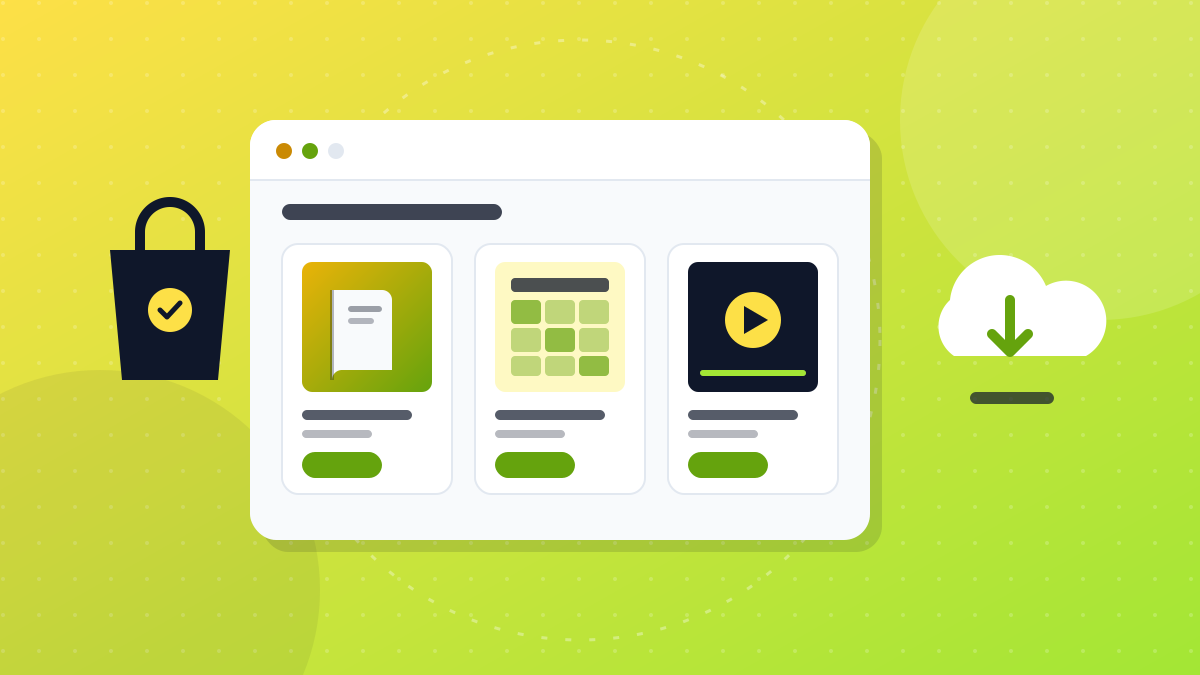
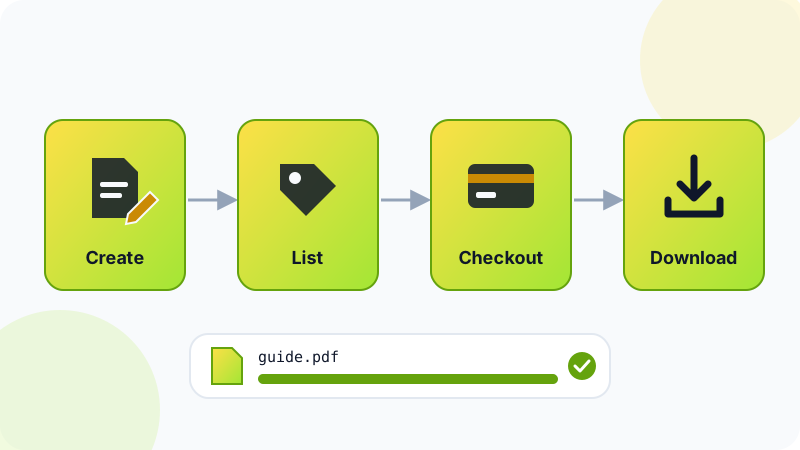
A digital product is something people buy once and then download or access instantly, such as an ebook, a spreadsheet template, an online course or a pack of design assets. To sell one, you solve a specific problem for a specific group of people, create the product, list it on a platform such as Gumroad, Payhip or Etsy (or on your own website), and bring buyers to it with useful content.
In short: start from a problem you know well, build a small but genuinely useful first product, sell it on a simple platform, check payouts and tax rules for your country, and expect sales to build slowly as your audience grows.
What counts as a digital product
Almost anything that can be delivered as a file or an online page:
- Ebooks and guides: a PDF that teaches one skill or solves one problem.
- Templates: Notion workspaces, Excel or Google Sheets budgets, CV templates, presentation or social media templates. If you use Notion, our Notion guide shows the kind of setups people like to copy.
- Courses and video lessons: recorded lessons, sometimes with worksheets.
- Design assets: icons, illustrations, mockups, photo presets, brushes.
- Printables: planners, worksheets, colouring pages, wall art.
- Code: scripts, website themes, plugins.
- Audio: music loops, sound effects, voice packs.
The appeal is clear: you create a product once and can sell it many times, with no stock and no shipping. But it is not passive at the start. Creating, marketing, answering buyers and updating the product all take time.
Choosing a product people will pay for
The most common mistake is making something first and looking for buyers later. Work the other way around:
- Start from a problem you've solved. What do friends, colleagues or followers keep asking you about?
- Check for demand. Search the marketplaces for similar products. Some competition is a good sign: it means people are buying. Read reviews of existing products to find what buyers feel is missing.
- Be specific. "A monthly budget template for university students" is easier to sell than "a budget template".
- Consider your language. If you create in Arabic, check whether good Arabic resources already exist in your niche. Sometimes there are fewer options than in English, which can be an opening.
- Test before you build big. Share the idea with your audience, or offer a small version first, before spending months on a large course.
Creating your first product
- Write the promise in one sentence: "This template helps freelancers track projects and invoices in one place."
- Outline the content: the sections, pages or lessons needed to deliver that promise, and nothing extra.
- Build the smallest useful version: a focused 20-page guide or a single polished template beats an unfinished giant bundle.
- Use tools you already know: a word processor exported to PDF, a design tool, a spreadsheet, or a screen recorder for video.
- Test it with a few people and fix whatever confuses them.
- Prepare the product page: a clear cover image, preview images, what's included, file formats, who it's for, and how to use it.
- Write a simple licence: for example, personal use only, or commercial use allowed but no resale of the files.
Only include images, fonts, music and code you have the right to use commercially. "Free" resources often come with licence conditions, so read them.
Where to sell: comparing the options
| Option | What it is | Good for | Keep in mind |
|---|---|---|---|
| Gumroad | Creator platform for selling digital files, memberships and courses | A fast start with a simple checkout | Takes a fee on each sale; you bring most of the traffic |
| Payhip | Store builder for ebooks, courses, memberships and downloads | A small store of your own without coding | Fees depend on the plan you choose |
| Etsy | Large marketplace for handmade and creative goods, including instant digital downloads | Printables, planners, patterns, design assets | Listing and transaction fees, lots of competition, strict rules on what you may sell |
| Your own website (for example WordPress with WooCommerce) | A store you fully control | Creators who already have an audience | More setup; you handle payments, security and tax settings |
Fees and features change, so read each platform's current pricing page. Also check how you'll receive your money: payout methods such as PayPal, Stripe or bank transfer are not available in every country, and it's better to find that out before you invest time in a platform.
Pricing and packaging
- Look at comparable products to understand the usual price range in your niche.
- Price by the result, not the page count. A template that saves a small business hours each month can be worth more than a long ebook.
- Offer tiers when it makes sense: a basic version and a complete version with extras.
- Bundle related products to give buyers more value.
- Avoid racing to the bottom. Very low prices make it hard to cover your time, and they don't always sell more.
- State your refund policy clearly, within the platform's rules and your local consumer law.
Getting your first sales
Listing a product doesn't bring buyers on its own. You need a way for people to find it:
- Share useful free content related to your product: blog posts, short videos, social media tips. If video suits you, see how to start a YouTube channel and grow it.
- Offer a free sample, such as one chapter or a mini template, in exchange for an email address, then tell subscribers when the full product is ready.
- Optimise marketplace listings with clear titles, accurate tags and good preview images.
- Collect reviews from early buyers and improve the product based on their feedback.
- Build a simple home base, such as a small site linking to all your products. Our guide on building a website from scratch walks you through it.
Payments, taxes and licences
- Payouts: confirm which payout methods work in your country, and note any currency conversion and withdrawal fees.
- Income tax: money from sales is usually taxable income. Keep records of every sale and fee.
- VAT and sales tax: some countries and regions tax digital products sold to their residents. Some platforms calculate and pay these taxes for you as the seller of record, while others leave it to you. Check the platform's tax page and your local rules, or ask an accountant.
- Licences: tell buyers exactly what they can and can't do with your files.
Mistakes to avoid
- Perfecting for months without testing whether anyone wants the product.
- Copying other creators' work or reselling content you don't own.
- Buying "resell rights" bundles that promise instant income. They are often low quality and widely duplicated. Our guide on how to spot "make money online" scams explains similar traps.
- Ignoring buyers' messages. Quick, friendly support leads to better reviews.
- Expecting quick results. Most creators build sales gradually over many months, and results vary a lot.
Start with one small product, learn from the first buyers, then improve it or build the next one.
Frequently asked questions
Do I need a website to sell digital products?
No. Platforms such as Gumroad, Payhip and Etsy give you a product page and a checkout without building a site. A website of your own becomes useful later, when you want more control over design, email lists and fees.
Can I sell products I made with AI tools?
Often yes, but check both the platform's rules and the AI tool's terms, since some require disclosure or restrict certain uses. Buyers pay for quality, so edit and improve the output rather than selling raw generated content.
How do I stop people from sharing my files?
You can't prevent it completely. Many platforms offer expiring download links or licence keys, and you can add a clear licence and your name inside the files. Most creators focus on value and updates rather than heavy copy protection.
Do I pay tax on digital product sales?
Usually yes. The income is taxable in many countries, and some countries also charge VAT or sales tax on digital sales to their residents. Some platforms collect these taxes for you and others don't, so check the platform's tax page and your local rules.
How much can I earn from digital products?
There is no typical figure. Many first products sell little or nothing, and results depend on the product, the audience you can reach and the time you put into marketing. Treat your first product as an experiment you learn from.
Related tutorials
Earning online
AI Skills Freelancers Can Sell: 6 Services and How to Deliver Them Well
Six AI-assisted services freelancers can offer, from writing and images to chatbots and automation, plus how to be honest with clients and check quality.
· 6 min read
Earning online
How to Spot 'Make Money Online' Scams and Protect Yourself
Learn the warning signs of online money scams, from upfront fees and guaranteed returns to fake jobs and task apps, and how to check offers and report fraud.
· 6 min read
Earning online
How to Start Freelancing From Zero: A Practical Beginner's Guide
Start freelancing with no experience: pick a skill, build a small portfolio, use platforms like Upwork, Fiverr or Mostaql, set your prices and get paid safely.
· 7 min read